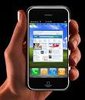
From the moment Apple announced its iPhone at Macworld 2007, the tech world hasn't stopped asking questions. Because Apple has kept many iPhone details under wraps until very recently, we've been forced to speculate. Until now. Is the iPhone pretty? Absolutely. Is it easy to use? Certainly. Does it live up to the stratospheric hype? Not so much. Don't get us wrong, the iPhone is a lovely device with a sleek interface, top-notch music and video features, and innovative design touches. The touch screen is easier to use than we expected, and the multimedia performs well. But a host of missing features, a dependency on a sluggish EDGE network, and variable call quality--it is a phone after all--left us wanting more. For those reasons, the iPhone is noteworthy not for what it does, but how it does it. If you want an iPhone badly, you probably already have one. But if you're on the fence, we suggest waiting for the second-generation handset. Even with the new $399 price for the 8GB model (down from an original price of $599), it's still a lot to ask for a phone that lacks so many features and locks you into an iPhone-specific two-year contract with AT&T. We'll be more excited once we see a version with--at the very least--multimedia messaging and 3G.
Design
On with the review: the iPhone boasts a brilliant display, trim profile, and clean lines (no external antenna of course), and its lack of buttons puts it in a design class that even the LG Prada and the HTC Touch can't match. You'll win envious looks on the street toting the iPhone, and we're sure that would be true even if the phone hadn't received as much media attention as it has. We knew that it measures 4.5 inches tall by 2.4 inches wide by 0.46 inch deep, but it still felt smaller than we expected when we finally held it. In comparison, it's about as tall and as wide as a Palm Treo 755p, but it manages to be thinner than even the trend-setting Motorola Razr. It fits comfortably in the hand and when held to the ear, and its 4.8 ounces give it a solid, if perhaps weighty, feel. We also like that the display is glass rather than plastic.
Display
The iPhone's display is the handset's design showpiece and is noteworthy for not only what it shows, but also how you use it. We'll start off with its design. At a generous 3.5 inches, the display takes full advantage of the phone's size, while its 480x320 pixel resolution (160 dots per inch) translates into brilliant colors, sharp graphics, and fluid movements.
Menus
In true Apple style, the iPhone's menu interface is attractive, intuitive, and easy to use. In the main menu, a series of colored icons call out the main functions. Icons for the phone menu, the mail folder, the Safari Web browser, and the iPod player sit at the bottom of the screen, while other features such as the camera, the calendar, and the settings are displayed above. It's easy to find all features, and we like that essential features aren't buried under random menus. Fluid animation takes you between different functions, and you can zip around rather quickly.
Much has been made of the iPhone's touch screen, and rightfully so. Though the Apple handset is not the first cell phone to rely solely on a touch screen, it is the first phone to get so much attention and come with so many expectations. Depending on what you're doing, the touch screen serves as your dialpad, your keyboard, your Safari browser, and your music and video player. Like many others, we were skeptical of how effectively the touch screen would handle all those functions.
Touch screen
Fortunately, we can report that on the whole, the touch screen and software interface are easier to use than expected. What's more, we didn't miss a stylus in the least. Despite a lack of tactile feedback on the keypad, we had no trouble tapping our fingers to activate functions and interact with the main menu. As with any touch screen, the display attracts its share of smudges, but they never distracted us from what we were viewing. The onscreen dialpad took little acclimation, and even the onscreen keyboard fared rather well. Tapping out messages was relatively quick, and we could tap the correct letter, even with big fingers. The integrated correction software helped minimize errors by suggesting words ahead of time. It was accurate for the most part.
Still, the interface and keyboard have a long way to go to achieve greatness. For starters, when typing an e-mail or text message the keyboard is displayed only when you hold the iPhone vertically. As a result, we could only type comfortably with one finger, which cut down on our typing speed. Using two hands is possible, but we found it pretty crowded to type with both thumbs while holding the iPhone at the same time. What's more, basic punctuation such as periods or commas lives in a secondary keyboard--annoying. If you're a frequent texter or an e-mail maven, we suggest a test-drive first.
We also found it somewhat tedious to scroll through long lists, such as the phone book or music playlists. Flicking your finger in an up or down motion will move you partway through a list, but you can't move directly to the bottom or top by swiping and holding your finger. On the other hand, the letters of the alphabet are displayed on the right side of the screen. By pressing a letter you can go directly to any songs or contacts beginning with that letter. But the lack of buttons requires a lot of tapping to move about the interface. For example, the Talk and End buttons are only displayed when the phone is in call mode. And since there are no dedicated Talk and End buttons, you must use a few taps to find these features. That also means you cannot just start dialing a number; you must open the dialpad first, which adds clicks to the process. The same goes for the music player: since there are no external buttons, you must call up the player interface to control your tunes. For some people, the switching back and forth may be a nonissue. But for mutlitaskers, it can grow wearisome.
Criticisms aside, the iPhone display is remarkable for its multitouch technology, which allows you to move your finger in a variety of ways to manipulate what's on the screen. When in a message, you can magnify the text by pressing and holding over a selected area. And as long as you don't lift your finger, you can move your "magnifying glass" around the text. You can zoom in by pinching your fingers apart; to zoom out you just do the opposite. In the Web browser, you can move around the Web page by sliding your finger, or you can zoom in by a double tap. And when looking at your message list, you can delete items by swiping your finger from left to right across the message. At that point, a Delete button will appear.
Thanks to the handset's accelerometer (a fancy word for motion sensor), the iPhone's display orientation will adjust automatically when you flip the iPhone on its side while using the music and video players and the Internet browser. Also, a proximity sensor turns off the display automatically when you lift the iPhone to your ear for a conversation. All three are very cool.
Exterior features
The iPhone's only hardware menu button is set directly below the display. It takes you instantly back to the home screen no matter what application you're using. The single button is nice to have, since it saves you a series of menu taps if you're buried in a secondary menu. On the top of the iPhone is a multifunction button for controlling calls and the phone's power. If a call comes in at an inopportune time, just press the button once to silence the ringer, or press it twice to send the call to voice mail. Otherwise, you can use this top control to put the phone asleep and wake it up again. You can turn the iPhone off by pressing and holding the button.
The Apple iPhone speakers are located at the bottom of the phone.
Located on the left spine are a volume rocker and a nifty ringer mute switch, something all cell phones should have and which is a popular feature of Palm Treos. On the bottom end, you'll find a pair of speakers and the jack for the syncing dock and the charger cord. Unfortunately, the headset jack on the top end is deeply recessed, which means you will need an adapter for any headphones with a chubby plug. Is this customer-friendly? No.
Unfortunately, the Phone does not have a battery that a user can replace. That means you have to send the iPhone to Apple to replace the battery after it's spent (Apple is estimating one battery will keep its full strength for 400 charges--probably about three years' worth of use). The cost of the replacement is $79 plus $6.95 shipping. No, you don't really need a removable battery in a cell phone, but like many things missing on the iPhone, it would be nice to have, especially for such an expensive phone. And just what are you supposed to without a cell phone during the replacement period? Contrary to earlier reports, the SIM card is removable via a small drawer on the top of the iPhone, but other AT&T SIM cards will not work in the iPhone. That's especially troubling, as it completely defeats the biggest advantage of using a GSM phone with a SIM card. Some people have multiple phones and like to change the SIM card between their different handsets. Also, you can't use the SIM card to import contact information from another handset.
Features
The iPhone's phone book is limited only by the phone's available memory. Each contact holds eight phone numbers; e-mail, Web site, and street addresses; a job title and department; a nickname; a birthday; and notes. You can't save callers to groups, but you can store your preferred friends to a favorites menu for easy access. You can assign contacts a photo for caller ID and assign them one of 25 polyphonic ringtones. We should note, however, that there's no voice dialing and you can't use MP3 files as ringtones. Other basic features include an alarm clock, a calculator, a world clock, a stopwatch, a timer and a notepad. There's a vibrate mode but it's a tad light.
The calendar offers day and month views, and you can use the calendar as an event reminder or a to-do list as well. The interface is clean and simple, though inputting new appointments involves a lot of tapping. There's no Week view, however. We were able to sync our Outlook contacts and calendar and our Yahoo! e-mail address book with no problems.
Bluetooth and wireless
The iPhone offers a full range of wireless functionality with support for Wi-Fi and Bluetooth connectivity. The Wi-Fi compatibility is especially welcome, and a feature that's absent on far too many smart phones. When you're browsing the Web, the iPhone automatically searches for the nearest Internet hot spot. Bluetooth 2.0 is also on board, which delivers faster transmission and a longer range than Bluetooth 1.2. You can use Bluetooth for voice calls, but you don't get an A2dP stereo Bluetooth profile--another item that's not necessary but would be nice to have.
Though Apple CEO Steve Jobs has explained the iPhone's lack of 3G support by saying the chipsets take up too much room and drain too much battery, we'd like the option anyway. Yes, the Wi-Fi network is great when you can get it, but AT&T's EDGE network just doesn't cut it for all other surfing. EDGE Web browsing is so slow, it almost ruins the pretty Web interface. More on this in the Performance section.
Messaging and e-mail
For your messaging needs, the iPhone offers text messaging and e-mail. As on many smart phones, a text message thread is displayed as one long conversation--a useful arrangement that allows you to pick which messages you'd like to answer. If you use another function while messaging, you can return to pick up that message where you left off. We just don't understand, however, why Apple doesn't include multimedia messaging. Sure, you can use e-mail to send photos, but without multimedia messaging you can't send photos to other cell phones--pretty much the entire point of a camera phone.
The iPhone's e-mail menu includes integrated support for Yahoo, Gmail, AOL, and Mac accounts. You can set up the phone to receive messages from other IMAP4 and POP3 systems, but you'll need to sweet-talk your IT department into syncing with your corporate exchange server. It's rumored that Apple will update the iPhone to support ActiveSync but Apple hasn't confirmed that as of this writing. You can read--but not edit--PDF, JPEG, Word, and Excel documents. Worse: you can't cut and paste text when composing messages.
iPhone's iPod
Sandwiched between all the iPhone's features lives Apple's most amazing iPod yet. The display, interface, video quality, audio quality--all of it is meticulously refined and beautiful. Unfortunately, it's trapped within a device that will cost you more than $1,000 a year just to own. CNET recently reviewed a Rolls-Royce that had a top-notch umbrella hidden inside its passenger door. Buying the iPhone for its iPod feature is a lot like buying that Rolls-Royce for its umbrella. Regardless, the iPhone is an exciting glimpse into what Apple hopefully has planned for its sixth-generation iPod. Apple has redeemed itself following the Motorola Rokr E1 debacle.
On paper, the iPhone's iPod doesn't offer any features not already on a fifth-generation iPod: podcasts, videos, music, and playlists are all here, and content management with iTunes is identical. The difference rests entirely in the iPhone's interface. We've used other MP3 players that use touch interfaces, such as the Archos 704, iRiver Clix and Cowon D2, but the iPhone's unique integration of multitouch technology and a graphic user interface put it in a category all its own.
From an iPod perspective, Apple's biggest triumph with the iPhone is the fact that it has returned album artwork back into the music experience in a way that goes beyond a token thumbnail graphic. Physically flipping through your music collection in the iPhone's Cover Flow mode really brings back the visceral feel of digging through a CD or record bin. It's a tough feeling to quantify, but the real music lovers out there will appreciate how well the iPhone reconnects their digital music to a form that is both visually and physically more vivid. Even iTunes users who may already be jaded about using the Cover Flow mode on their personal computer will be surprised at how the experience is changed by using the iPhone's intuitive touch screen.
Truth be told, there is one feature that is new to the iPhone's iPod--the integrated speaker. While the iPhone's speaker sounds thin and is prone to distortion, it works in a pinch for sharing a song with a friend. Apple was also smart enough to manage its speaker volume independent of the headphone volume, so if you're listening to the speaker full-blast and then decide to plug in your headphones, you won't be deafened.
The bad news is that the iPhone's iPod leaves out the ability to manually manage the transfer of music and video content. Unlike any previous iPod, the iPhone does not allow an option for manually dragging and dropping content from an iTunes library directly to the iPhone device icon. Instead, the iPhone strictly uses defined library syncing options for collecting and syncing content from your iTunes library to the device. This should work out fine for most people, but for a device with limited memory the inability to manually manage content seems like a misstep. Our 8GB iPhone was already a quarter full after only a few hours of testing, giving us the impression that users will need to be vigilant at grooming their iPhone library. An external memory card slot is another one of those "nice to have" features.
The iPhone's music sound quality seems right in line with our experience using the 5G iPod. All the same EQ presets are available, only now they are found on the iPhone's main Settings tab. The included iPhone earbuds did a passable job for casual listening in a quiet environment. Unfortunately, the iPhone's recessed headphone jack prevented us from using many of the test headphones we're familiar with. We were just barely able to squeeze the plug of our Etymotic ER6i earphones into the jack to do the comparison.
Watching video on the iPhone is not quite as luxurious as a Creative Zen Vision: W or Archos 504, but its wide screen and bright contrast beat the fifth-generation iPod by a mile. As with previous iPods, video playback is automatically bookmarked so that playback resumes where you left off. And because the iPhone is a phone, it includes an airplane mode that will keep the music player activated while turning off the call transmitter.